Start with the problem.
Nobody goes looking for “purpose-built software” or “workflow automation” — those are our categories, not your problems. What you actually have is a quotation that eats the afternoon, a spreadsheet nobody dares touch, a customer asking “any update?” for the third time today. The ten below are where engagements actually begin. Start with the one that hurts.
On this page: Excel · Quotation · Data entry · Disconnected systems · Reporting · Documents · Status enquiries · Production · Engineering · Approvals
01 / 10 Spreadsheets
Too much Excel
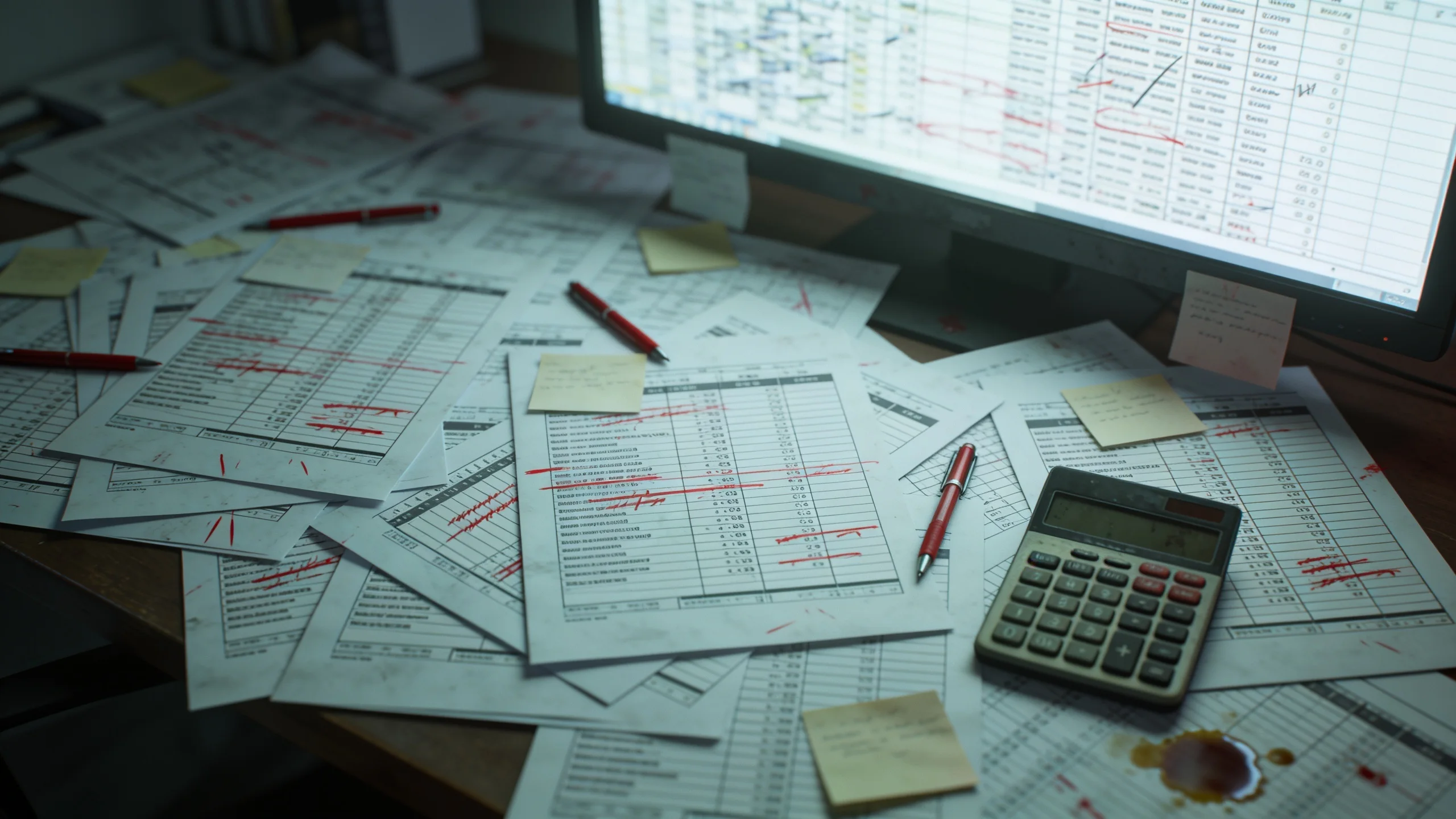
Excel is good software — that’s exactly how it ends up running companies. A file that began as one person’s quick calculation quietly becomes the quotation system, the job register and the production schedule. Nobody decided that. It accreted.
The symptoms
“Quotation_FINAL_v7(2).xlsx”
Nobody is fully sure which copy is current — so people quietly keep their own.
One person understands it
When they’re on leave, quotations and reports simply wait for them to come back.
No history
A figure changed last Tuesday. Nobody knows who changed it, or why, or what it was before.
Why it becomes expensive. Not because of the errors you catch — because of the ones you don’t. A wrong figure travels into a quotation or a delivery before anyone notices. Add the quieter costs: hours rebuilding and reconciling copies, decisions waiting on the one person who understands the file, and a key-person risk that grows with every formula added.
Rarely “replace Excel everywhere.” Usually: take the one workflow the spreadsheet can no longer hold — quotation, job register, scheduling — and give it a small purpose-built application with one live copy, access for the people who need it, and a history of every change. Excel stays for what it’s good at. Which workflow that is — and whether it justifies a build at all — is what the free workflow review establishes.
02 / 10 Estimating
Manual quotation
Every quotation starts from the last one that looked similar: copy the file, edit prices in place, trust the formulas, reformat, re-check, send — and hope nothing from the old job survived into the new one. An enquiry that deserves twenty minutes takes the afternoon.
The symptoms
Every quote starts as a copy
Old prices, old assumptions and old mistakes travel straight into new work.
Pricing lives in a person
Rates, margins and exceptions exist in the estimator’s memory, nowhere else.
Revisions restart the clock
“Rev 2” means doing the afternoon again — and the versions begin to blur.
7 manual steps · again at every revision
1 manual step · revisions take minutes, not afternoons
Why it becomes expensive. Slow quotations lose work you never see lost — the enquiry quietly goes to whoever answered credibly first. Inaccurate ones are worse: underprice and you win the job that costs you money; overprice and you never hear back. And revision requests — normal in any negotiation — restart the whole manual process each time.
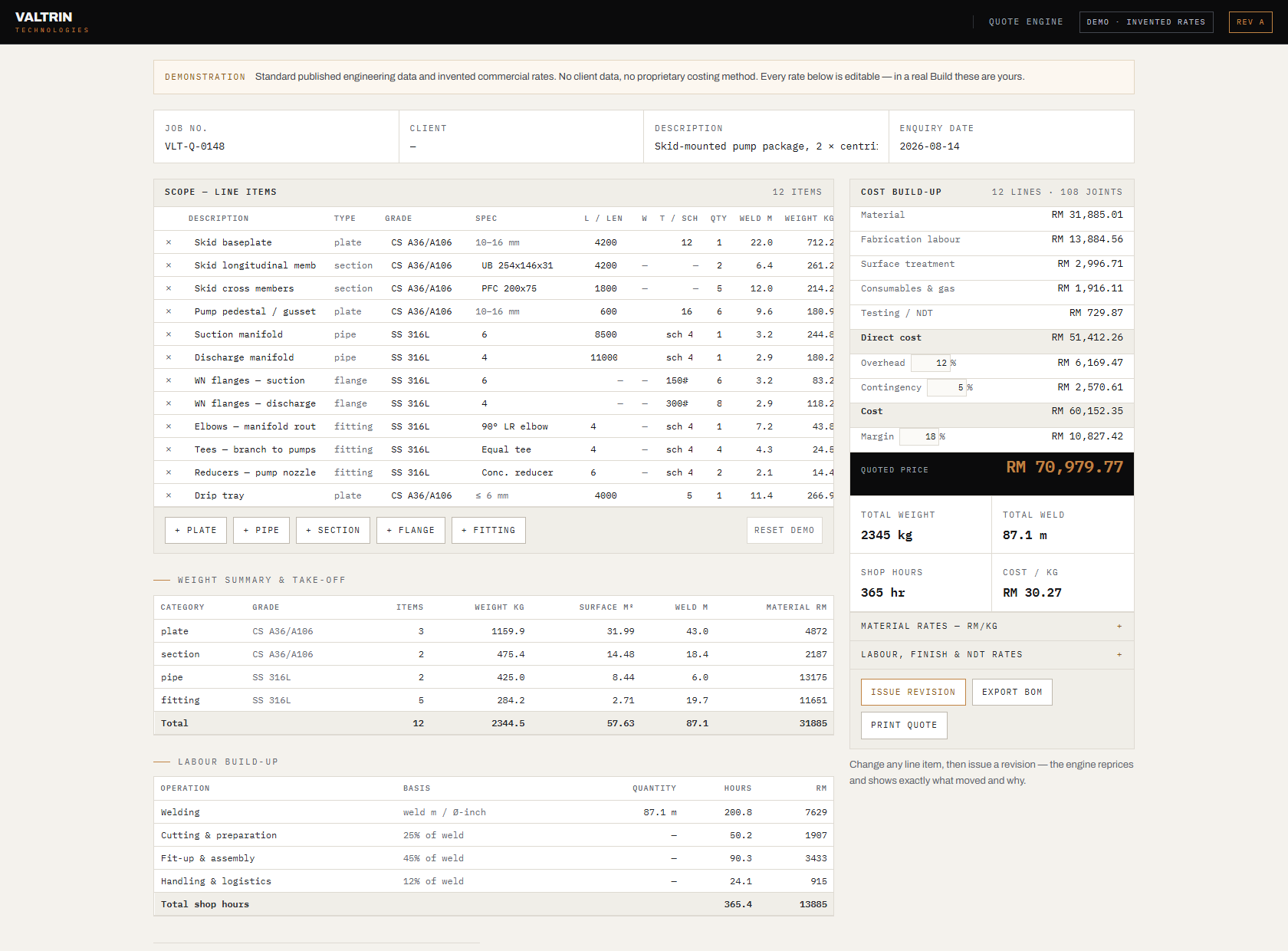
An estimating engine that generates the quotation instead of rebuilding it — your rates, your rules, your document format, every number from deterministic code. This is the one problem where we can show rather than describe: we built our own engine first, and it’s demonstrable and validated against known results. Yours would be scoped after we’ve seen how you quote today.
03 / 10 Data entry
Repetitive data entry
A supplier invoice arrives as a PDF. Someone types it into the accounting system, then into the job-costing sheet, then into the payment schedule. Three entries, three chances to slip a digit — for information the supplier already sent you in writing.
The symptoms
Typed three times
The same invoice goes into accounting, job costing and the payment schedule.
Errors surface late
A digit slips today and reappears weeks later as a reconciliation mystery.
Skilled people, typing
Staff hired for judgement spend hours a week on transcription.
Why it becomes expensive. You pay for the same number three times: the wage of the person typing it, the cost of the typo that surfaces at reconciliation, and the opportunity cost of capable staff doing work that requires no judgement. The volume grows with the business — so the problem compounds exactly when you can least spare the people.
Typically an extraction flow like the one above: AI reads each document, deterministic code validates totals and pushes entries where they belong, and anything uncertain lands in a review queue for a human decision. Whether it pays depends on your document volume and variety — below a certain volume the honest advice is not to build it, and we’ll give that advice.
04 / 10 Integration
Disconnected systems
Accounting doesn’t talk to operations. Operations doesn’t talk to the store. So the integration layer is a person with two screens, retyping from the left one into the right one.
The symptoms
One customer, three records
A different spelling in each system — and none of them is the authoritative one.
Month-end is reconciliation
Days spent making systems agree about things they both recorded.
Every new tool, a new island
Each addition creates another manual bridge to somewhere else.
Why it becomes expensive. Every pair of disconnected systems quietly employs someone as its bridge, and every manual bridge produces its own class of discrepancy. Month-end becomes a reconciliation of things that should never have been allowed to disagree — and the effort repeats every month, forever, until the systems are actually connected.
The missing bridge: automated flows that move records between the systems you already own, so information is entered once and agreed everywhere. The design depends entirely on what each side exposes — some packages offer proper interfaces, others only file exports — which is why we map the systems before proposing anything. Sometimes the right answer is connecting both and replacing neither.
05 / 10 Reporting
Manual reporting
Every Friday — or every month-end — someone collects numbers that already exist. Export, copy into the master sheet, fix the formatting, rebuild the chart, attach, send. The report isn’t generated; it’s assembled by hand from places that could have reported themselves.

The symptoms
Report day
A recurring block of someone’s week disappears into copy-paste and formatting.
Stale on arrival
The numbers describe last week by the time anyone reads them.
Person-dependent
If the assembler is away, the report simply doesn’t happen that week.
Why it becomes expensive. A skilled person spends a recurring block of time being a copy machine between systems — and the output is stale before it’s read. Decisions get made on last week’s picture, or postponed until the report finally arrives. The cost repeats weekly, which is precisely what makes it invisible.
A report that writes itself: pulled from the live sources on a schedule, calculated in deterministic code, delivered before the Monday meeting — same format, current numbers, no assembler. Worth building only if the underlying data is already being captured somewhere; if it isn’t, that capture is the real first project, and we’d tell you so.
06 / 10 Documents
Document-heavy workflows
Some businesses run on documents: purchase orders, delivery orders, invoices, test certificates, site photos — and now e-invoice requirements on top. Filing them is a job. Finding one again is a bigger job, and it always lands at a bad time.
The symptoms
“It’s in the email somewhere”
Retrieval means scrolling, searching and asking around the office.
Filing by personal convention
Everyone’s folders are organised — each in a different way.
The missing certificate
Discovered at handover or audit, chased at the worst possible moment.
Why it becomes expensive. The cost hides until the moment of retrieval — an audit, a warranty dispute, a project handover, an invoice held because a certificate can’t be found. Then it arrives all at once, and usually attached to money you’re waiting to collect.
Often a classify-and-file flow like the one above, with a searchable register on top. The right shape depends on which documents actually cause the pain and where they arrive from — which is why we’d trace a handful of real documents through your current process before designing anything.
07 / 10 Customer service
Customer status enquiries
“Hi, any update on my order?” Someone stops mid-task, checks the schedule, maybe walks to the workshop to ask, and types out an answer — the same answer, in slightly different words, that they typed yesterday. One customer at a time, all day.
The symptoms
The same question, daily
“Any update?” answered by hand, one customer at a time.
Answers vary by responder
Whoever replies checks a different source and gives a slightly different answer.
Chasing is the interface
Customers learn that the only way to know anything is to ask again.
Why it becomes expensive. Each enquiry interrupts someone mid-task, and the interruptions scale with your order book — the better business gets, the more of the day goes to saying where things are. Meanwhile, slow answers read to the customer as disorganisation, whatever the workshop is actually doing.
Depending on your volumes: a customer portal with live status, or something deliberately lighter — an automated message whenever a status changes. The point isn’t the technology; it’s that the answer exists without a person assembling it. We’d count how many enquiries you actually field before recommending either.
08 / 10 Industrial
Production bottlenecks
Somewhere on the line, one manual station sets the pace for everything — filling, capping, labelling, packing, inspection. The only way to produce more is to add people and hours to that station. Output grows with headcount, and with nothing else.

The symptoms
One station sets the pace
Everything before it queues; everything after it waits.
Overtime is structural
Extra hours are the plan, not the exception.
Orders declined at the ceiling
Growth stops at the speed of the manual station.
Why it becomes expensive. A bottleneck caps revenue directly: every order beyond its pace is either declined or bought with overtime. The equipment upstream and the team downstream both wait on it — so you pay for idle capacity and premium hours at the same time.
We don’t manufacture machines — and won’t pretend to. Valtrin acts as the technical and commercial bridge: assess the line, specify what the station needs, evaluate established manufacturing partners, validate at factory testing, coordinate commissioning — and add production monitoring afterwards where it earns its place. It starts with an Industrial Assessment (from RM 3,000, including the site visit), because whether automation pays depends on your volumes, not on enthusiasm.
09 / 10 Engineering
Repetitive engineering work
A surprising amount of highly skilled work is not difficult — it is repetitive. The same calculation set up in Excel again, the same class of layout drawn in CAD again, the same take-off counted by hand again. Valtrin started from exactly this problem in our own engineering work, so we know it from the inside — we build internal parametric layout tooling for ourselves for the same reason.
The symptoms
The same calculation, again
Set up for this project exactly as it was set up for the last one.
The same layout, again
Drawn from scratch in CAD, though only the dimensions changed.
Senior time, junior tasks
Your most expensive hours go to repetition, not judgement.
Why it becomes expensive. Engineering hours are among the most expensive you buy. Spending them re-deriving known results means paying for judgement and receiving repetition — and the output still varies with who did it, and how late in the week it was.
Purpose-built engineering tools: calculation applications validated against your known results, take-off and BOM generators, drawing registers, document generation from calculation output. Which of those your team needs depends on where the repeated hours actually go — mapping that is the first step, and it costs nothing.
10 / 10 Approvals
Approval chasing
The work is done. The document is finished. It just isn’t approved — it’s sitting in someone’s inbox, and they don’t know it’s urgent, and you don’t know it’s unread. So you chase. Politely. Again.
The symptoms
Stuck in an inbox
The approver doesn’t know it’s waiting; you don’t know it’s unread.
Chasing on WhatsApp
Progress is measured in polite reminders sent.
Verbal approvals
Approved on a phone call — with no record of it when it matters later.
days of lag · no audit trail
same decision · minutes of admin · full history
Why it becomes expensive. Approval lag delays whatever sits behind it — and it’s often the invoice. The work is finished, the cost is already spent, and the cash arrives later purely because a document sat unread. Nobody worked less; you just got paid slower.
An approval chain that knows who is next, reminds them, escalates when it stalls, and records every decision with a timestamp. Sometimes the honest fix is simpler — a clear authority matrix and a shared queue — and if that’s your case, we’ll say so before proposing any software.
Start here
Found yours on this list?
Tell us which one — in your words, with your real documents. We’ll help determine whether it’s worth automating, and say so honestly if it isn’t.
calvin@valtrintechnologies.com
+60 11-1122 6683 · Kuala Lumpur, Malaysia
The workflow review is free, and you don’t need to know the technical solution. Describe how the work happens today — that’s the whole brief.